

What is AURUM EX-AI Bot?

A focused guide to package ranges, dashboard flow, calculator usage, active deposit views, and the practical getting-started path shown in the uploaded materials.

EX-AI Bot dashboard packages
EX-AI Bot statistics and calculator
Descriptions of EX-AI Bot on this website are provided for informational purposes only and are based on publicly presented materials, screenshots, and explanatory summaries. Any references to historical figures, package structures, accrual timing, strategy examples, model ranges, or past platform displays are not guarantees of future performance and should not be interpreted as fixed or expected outcomes.
EX-AI Bot overview

Understand the package flow, deposit screens, calculator access, and the first account steps more clearly.

This page brings together the package view, dashboard context, active deposit screens, and the practical route from setup to activation.

Package rangesSee the deposit tiers and share structure in a cleaner layout.
Dashboard contextReview active deposit, income, and calculator screens before you continue.
Practical pathMove from setup to funding and activation through the linked guides.
Risk awarenessExamples, screenshots, and scenarios remain informational only.
visual
visual

How the page is structured

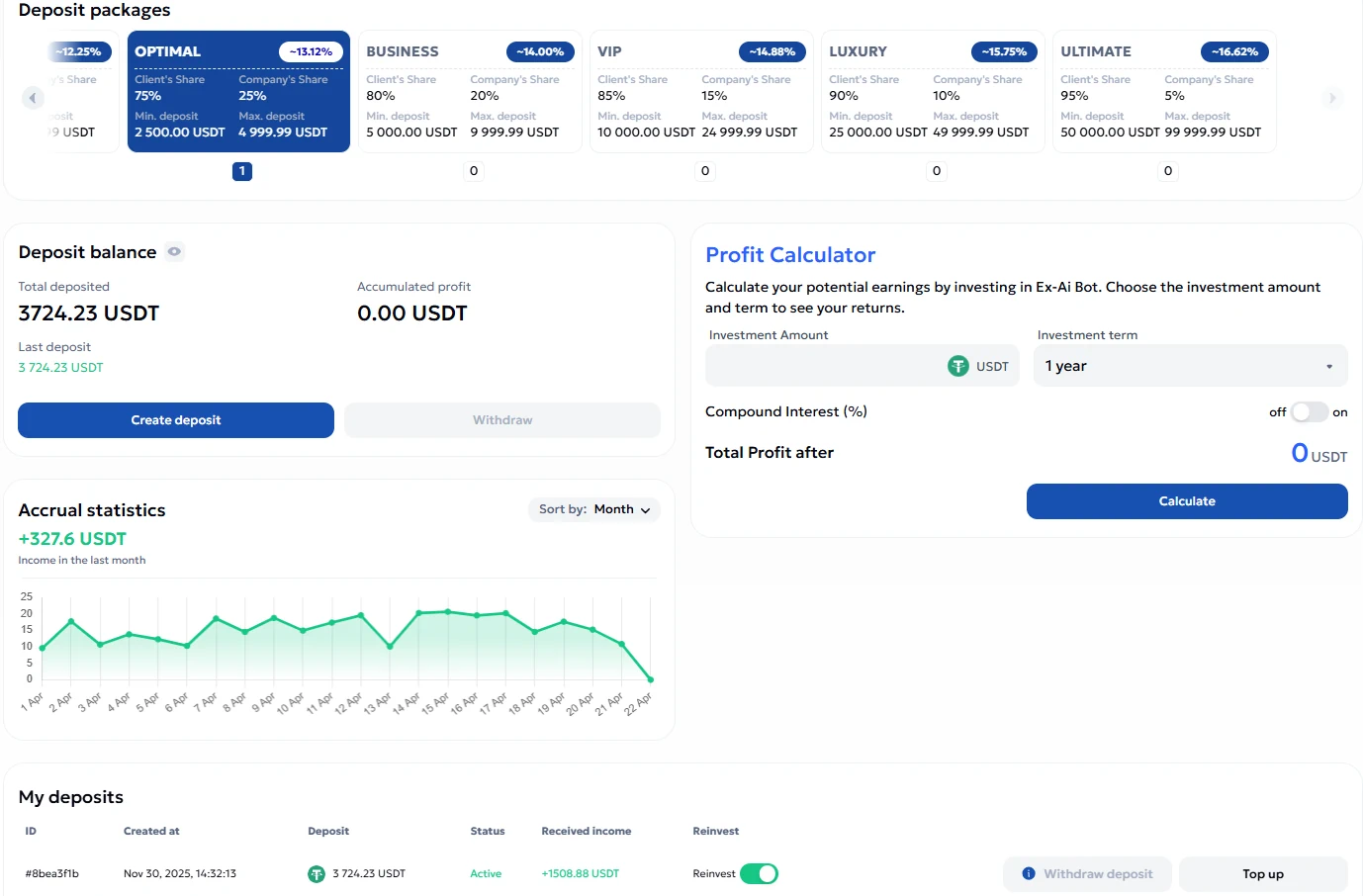
  • Package tiers: the uploaded FAQ lists Basic through Ultimate with different deposit ranges and client/company share splits.
  • Deposit flow: the guide and screenshots show the route from Financial Proposals to Create deposit and package activation.
  • Calculator use: the calculator is presented as a hypothetical scenario tool and not as a promise of future results.
What you should verify yourself

  • Package ranges and availability
  • Funding source options and network conditions
  • Withdrawal timing, limits, and fees
  • Whether the product is lawful and suitable in your jurisdiction

EX-AI Bot screenshots

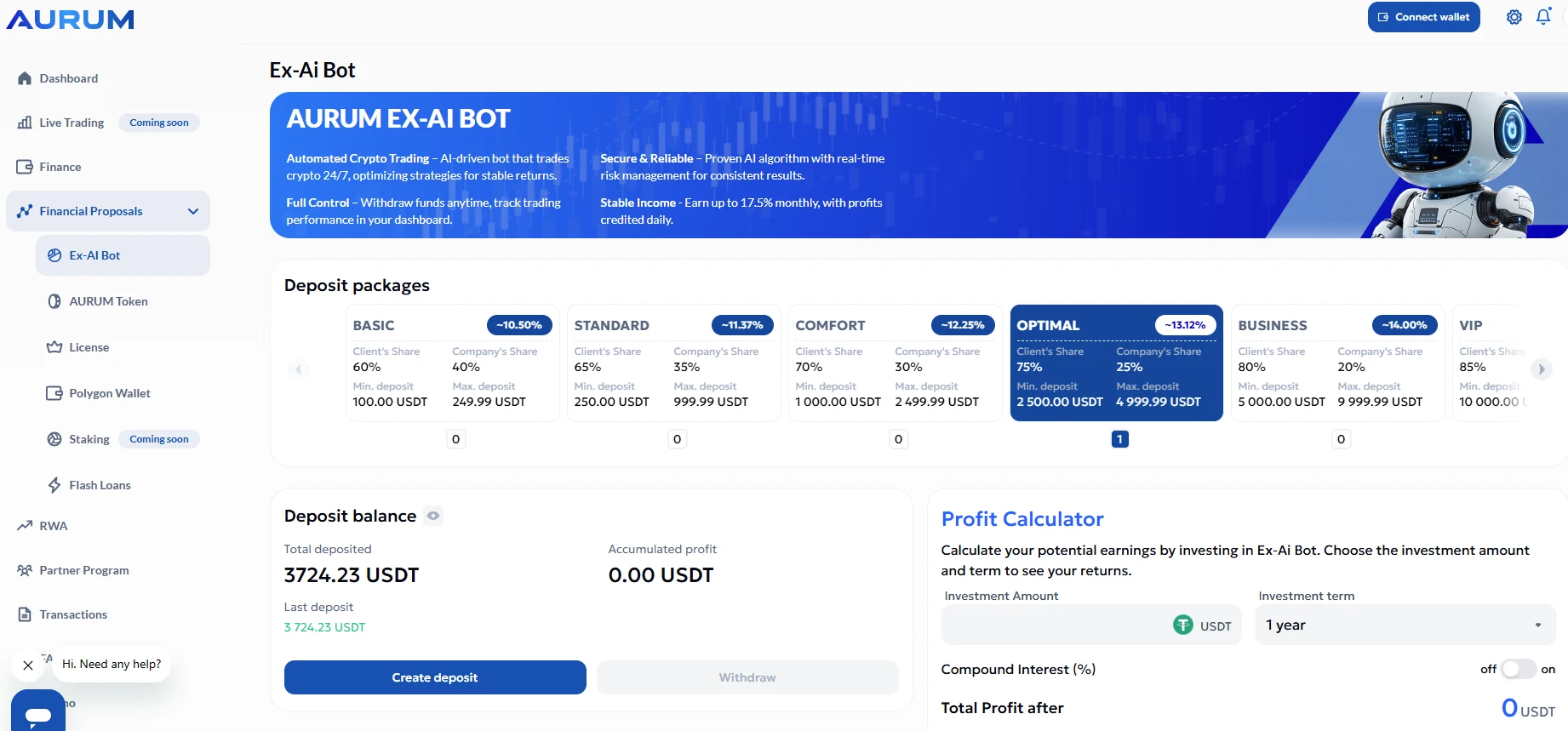
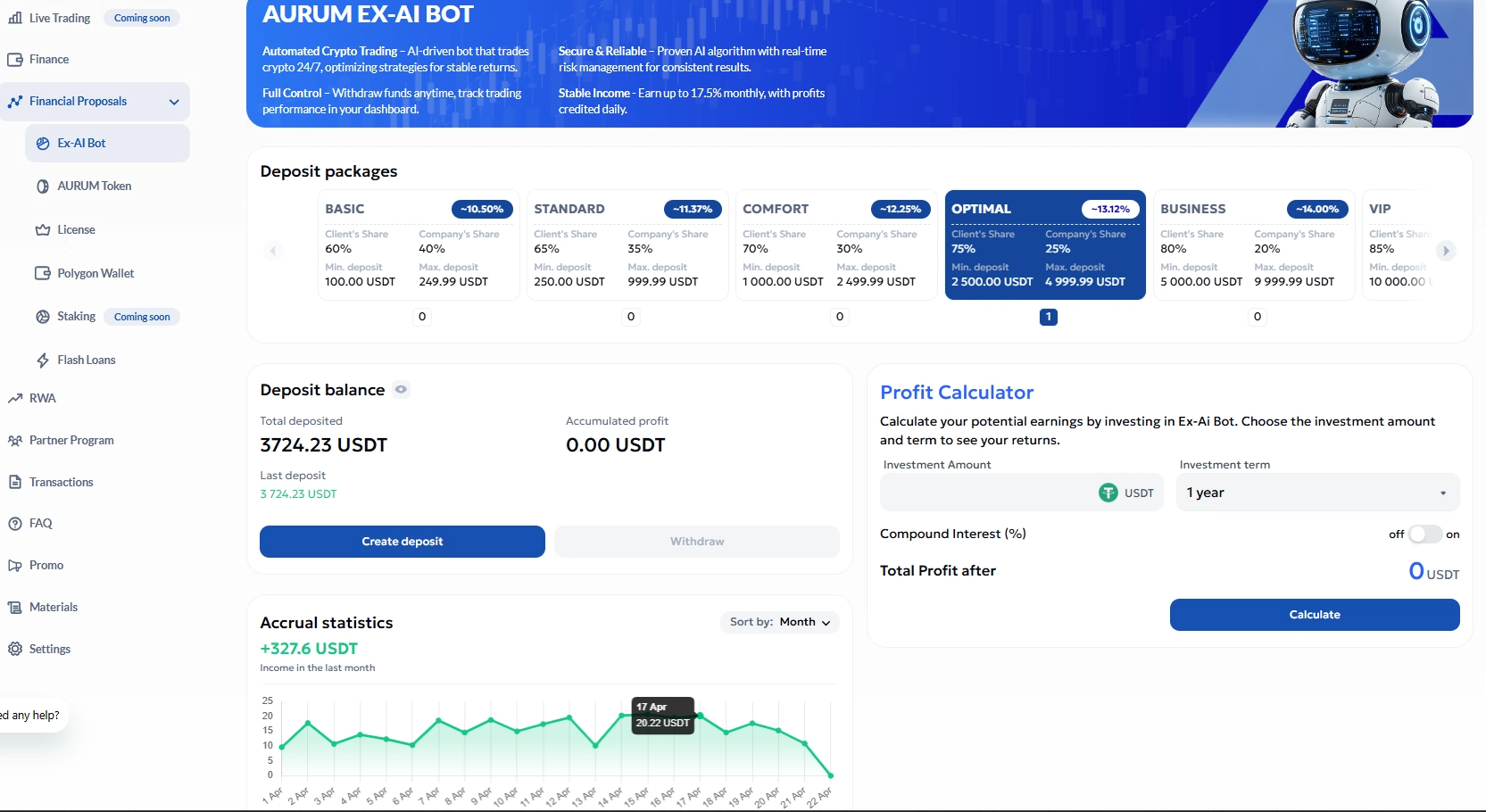
These visuals help explain what visitors may see when reviewing the bot area, deposit packages, balance section, and profit calculator.

Packages and balance

Packages and balances

Review the visible package structure, current balance area, and the internal calculator placement.

Package row and calculator area

Package selection area

Examples show Basic through Ultimate ranges and the calculator panel used for hypothetical estimates.

Accrual and calculator

Accrual statistics view

The screen illustrates a running income chart and deposit-related dashboard elements.

1

Create an account

Use your email, password, and invite code. Then complete your profile and confirm your email address.

2

Access the dashboard

The guide shows the main balance, top-up flow, ecosystem subscription, dashboard overview, and deposit package area.

3

Open EX-AI Bot

Go to Financial Proposals, choose EX-AI Bot, review package ranges, and create a deposit only after your own review.

Calculator and package examples

The uploaded materials show a calculator interface and package examples, but those should be treated as illustrative only. The FAQ also describes profit accrual timing, top-up options, reinvest availability, withdrawal windows, and package-specific conditions. None of those should be read as guaranteed future outcomes. Use the calculator to model scenarios, not to assume fixed performance.